Showing posts with label computer science practical questions. Show all posts

July 07, 2019

Artificial intelligence robot in java a prototype

Artificial intelligence robot in java a prototype


/**
 * @author Consumerfed I T Section
 *
 */
public class MainClass {

/**
* @param args
*/
public static void main(String[] args) {

}

}

/**
 *
 */
package com.consumerfed.airobo.model;

import com.consumerfed.airobo.utilities.RoboMessages;

/**
 * @author Conumerfed I T Section
 *
 */
public class AIRobot {

private boolean alert = false;

private RoboMessages message = null;

private float batteryStatus = 0;

private float weightCarried = 0;

private float distanceCovered = 0;

public float getBatteryStatus() {
return batteryStatus;
}

public void setBatteryStatus(float batteryStatus) {
this.batteryStatus = batteryStatus;
}

public RoboMessages getMessage() {
if (null == message) {
message = RoboMessages.NILL;
}
return message;
}

public void setMessage(RoboMessages message) {
this.message = message;
}

public float getWeightCarried() {
return weightCarried;
}

public void setWeightCarried(float weightCarried) {
this.weightCarried = weightCarried;
}

public boolean isAlert() {
return alert;
}

public void setAlert(boolean alert) {
this.alert = alert;
}

public float getDistanceCovered() {
return distanceCovered;
}

public void setDistanceCovered(float distanceCovered) {
this.distanceCovered = distanceCovered;
}

}

package consumerfed.xebia.airobo.model;
/**
 * @author Conumerfed I T Section
 *
 */
public class Barcode {
private String code = null;
private byte[] img = null;
private double price = 0;

public byte[] getImg() {
return img;
}

public void setImg(byte[] img) {
this.img = img;
}

public String getCode() {
return "ISBN 8281808025";
}

public double getPrice() {
return 120.75;
}

}


package com.Consumerfed.airobo.service;

import com.Consumerfed.airobo.model.AIRobot;
import com.Consumerfed.airobo.model.Barcode;
import com.Consumerfed.airobo.utilities.AIRobotUtilities;
import com.Consumerfed.airobo.utilities.RoboMessages;

/**
 * @author Consumerfed
 *
 */
public class AIRobotService implements AIRobotServiceInf, Scanning {

private AIRobot robot = null;

public AIRobotService(AIRobot robot) {
this.robot = robot;
}

@Override
public float walk(float kilometer) {
if (loadWeight(robot.getWeightCarried()) && checkBatteryStatus() && checkMaxDistance(kilometer)) {
if(isChargeExist(kilometer)) {
batteryConsumption(kilometer, robot.getWeightCarried());
float distanceCovered = robot.getDistanceCovered();
robot.setDistanceCovered(kilometer+ distanceCovered);
}
}
checkBatteryStatus();
display();
return robot.getBatteryStatus();
}

private boolean isChargeExist(float kilometer) {
boolean isChargeExistForMove = false;
float weight = robot.getWeightCarried();
float extraChargeConsumed = weight * AIRobotUtilities.EXTRA_REDUCE_PKM_WGT;
float chargeConsume = kilometer * (AIRobotUtilities.BATTERY_CONSUMPTION_PKM + extraChargeConsumed);
float charge = robot.getBatteryStatus();
if((charge)>= chargeConsume) {
isChargeExistForMove = true;
}
return isChargeExistForMove;
}

private void batteryConsumption(float kilometer, float weight) {
float charge = robot.getBatteryStatus();
float extraChargeConsumed = weight * AIRobotUtilities.EXTRA_REDUCE_PKM_WGT;
float chargeConsumed = kilometer * (AIRobotUtilities.BATTERY_CONSUMPTION_PKM + extraChargeConsumed);
float remainingCharge = charge - chargeConsumed;
robot.setBatteryStatus(remainingCharge < 0 ? 0 : remainingCharge);
}

@Override
public float walkWithWeight(float kilometer, float kilogram) {
if (loadWeight(kilogram))
walk(kilometer);
return robot.getBatteryStatus();
}

@Override
public boolean loadWeight(float kilogram) {
float weightCarried = robot.getWeightCarried();
float totalWeight = weightCarried + kilogram;
boolean isNormalWeight = true;
if (totalWeight > 10) {
robot.setMessage(RoboMessages.OVERWEIGHT);
isNormalWeight = false;
}
robot.setWeightCarried(totalWeight);
return isNormalWeight;
}

@Override
public void chargeBattery() {
if (robot.getBatteryStatus() == 100) {
robot.setMessage(RoboMessages.FULL_CHARGE);
robot.setAlert(false);
display();
} else {
System.out.println(" Battery charging..");
try {
Thread.sleep(2512);
} catch (InterruptedException e) {
e.printStackTrace();
}
System.out.println(" Fully charged ");
}
robot.setDistanceCovered(0);
robot.setBatteryStatus(100);
}

@Override
public void removeLoad() {
if (robot.getWeightCarried() == 0) {
robot.setMessage(RoboMessages.EMPTY_LOAD);
robot.setAlert(false);
display();
}
robot.setWeightCarried(0);
}

private boolean checkBatteryStatus() {
float batteryCharge = robot.getBatteryStatus();
if (batteryCharge == 0) {
robot.setMessage(RoboMessages.EMPTY_BATTERY);
robot.setAlert(true);
return false;

} else if (batteryCharge < 15) {
robot.setMessage(RoboMessages.RESEVE_BATTERY);
robot.setAlert(true);
return false;
}
return true;
}

private boolean checkMaxDistance(float kilometer) {
if (calcMaxMilege(kilometer) < kilometer) {
robot.setMessage(RoboMessages.MAX_DISTANCE_EXCEED);
return false;
}
return true;
}

private float calcMaxMilege(float kilometer) {
float weight = robot.getWeightCarried();
float maxMilege = 100
/ (AIRobotUtilities.BATTERY_CONSUMPTION_PKM + (AIRobotUtilities.EXTRA_REDUCE_PKM_WGT * weight));
return maxMilege;
}

private void display() {
System.out.println("Light on Robot head : \t" + (robot.isAlert() ? "Red" : " "));
System.out.println("Led display on Robot chest : \t" + robot.getMessage().getMessage());
System.out.println("Battery Remaining :\t" + robot.getBatteryStatus());
}

@Override
public double scan(Barcode barcode) {
double price = 0;
System.out.println("scanning");
try {
Thread.sleep(1000);
} catch (InterruptedException e) {
e.printStackTrace();
}
if (checkBarcodeImg(barcode)) {
price = barcode.getPrice();
System.out.println("Price display on Robot  : \t" + price);
} else {
robot.setMessage(RoboMessages.SCAN_FAILED);
display();
}
return price;
}

/**

* @param barcode
* @return
*/
private boolean checkBarcodeImg(Barcode barcode) {
// if(barcode.getImg())
return true;
}

}

package com.consumerfed.airobo.service;

public interface AIRobotServiceInf {
public float walk(float kilometer);
public float walkWithWeight(float kilometer, float kilogram);
public boolean loadWeight(float kilogram);
public void chargeBattery();
public void removeLoad();

}

/**
 * 
 */
package com.consumerfed.airobo.service;

import com.consumerfed.airobo.model.Barcode;

/**
 * @author consumerfed Information Technology
 *
 */
public interface Scanning {
public double scan(Barcode barcode);

}


package com.cosumerfed.airobo.test;

import static org.junit.Assert.assertEquals;
import static org.junit.Assert.assertTrue;

import org.junit.After;
import org.junit.AfterClass;
import org.junit.Before;
import org.junit.BeforeClass;
import org.junit.Test;

import com.consumerfed.airobo.model.AIRobot;
import com.consumerfed.airobo.model.Barcode;
import com.consumerfed.airobo.service.AIRobotService;
import com.consumerfed.airobo.service.AIRobotServiceInf;
import com.consumerfed.airobo.service.Scanning;

public class AIRobotTest {

@BeforeClass
public static void setUpBeforeClass() throws Exception {
}

@AfterClass
public static void tearDownAfterClass() throws Exception {
}

@Before
public void setUp() throws Exception {
}

@After
public void tearDown() throws Exception {
// System.setOut("");
}

// Robot carries 12 KG
@Test
public void OverweightTest() {
AIRobot robot = new AIRobot();
AIRobotServiceInf tester = new AIRobotService(robot);
assertEquals(false, tester.loadWeight(12));
}

@Test
public void NormalTest() {
AIRobot robot = new AIRobot();
AIRobotServiceInf tester = new AIRobotService(robot);
assertTrue(tester.loadWeight(9.5f));
}

// Robot walks 3.5 kilometers
@Test
public void WalkBatteryValidTest() {
AIRobot robot = new AIRobot();
AIRobotServiceInf tester = new AIRobotService(robot);
tester.chargeBattery();
assertEquals(30.0, tester.walk(3.5f), 0.0001);
}

@Test
public void WalkWithoutCharingTest() {
AIRobot robot = new AIRobot();
AIRobotServiceInf tester = new AIRobotService(robot);
assertEquals(00.0, tester.walk(3.5f), 0.0001);
}

// Robot walks for 2Km carrying 3 kg
@Test
public void WalkWithWeighValidTest() {
AIRobot robot = new AIRobot();
AIRobotServiceInf tester = new AIRobotService(robot);
tester.chargeBattery();
assertEquals(36.0, tester.walkWithWeight(2, 3), 0.0001);
}
@Test
public void robotScanTest() {
Barcode barcode = new Barcode();
AIRobot robot = new AIRobot();
Scanning tester = new AIRobotService(robot);
assertEquals(120.75, tester.scan(barcode), 0.0001);
}
@Test
public void successiveWalkTest() {
AIRobot robot = new AIRobot();
AIRobotServiceInf tester = new AIRobotService(robot);
tester.chargeBattery();
tester.walk(3);
assertEquals(0.0, tester.walk(2), 0.0001);
}
@Test
public void walkAboveMaxDistanceTest() {
AIRobot robot = new AIRobot();
AIRobotServiceInf tester = new AIRobotService(robot);
tester.chargeBattery();
assertEquals(100.0, tester.walk(6), 0.0001);
}

}

package com.consumerfed.airobo.utilities;

public class AIRobotUtilities {
public static final float MAX_MILEAGE = 5;

// BATTERY RESERVICE IN PERCENAGE
public static final float BATTERY_RESERVE = 15;

// EXTRA PERCENTAGE REDUCTION PER KILO METER
public static final float EXTRA_REDUCE_PKM_WGT = 2;

// private battery consumption per kilo meter
public static final float BATTERY_CONSUMPTION_PKM = 20;

// WEIGHT IN KILO GRAM
public static final float MAX_WEIGHT = 10;

}

/**
 * 
 */
package com.consumerfed.airobo.utilities;

/**
 * @author Consumerfed
 *
 */
public enum RoboMessages {
OVERWEIGHT("OVERWEIGHT"),
FULL_CHARGE("BATTERY FULL CHARGED"),
EMPTY_LOAD("LOAD IS EMPTY"),
EMPTY_BATTERY("BATTERY IS EMPTY"),
MAX_DISTANCE_EXCEED("MAXIMUM DISTANCE EXCEEDED"), 
RESEVE_BATTERY("BATTERY IN RESERVE"),
NILL(""), SCAN_FAILED("SCAN FAILURE");

private String message;

public String getMessage() {
return this.message;
}

private RoboMessages(String message) {
this.message = message;
}

}


December 28, 2016

Attendance Tracking System Consumerfed kozhikode it section


Online Attendance Monitoring System IT Section


          Created a robust G suite application for consumerfed regional office kozhikode (attendance monitoring system), which helps multiple users can mark their attendance simultaneously through a google form. The form is linked with a google spreadsheet where all the responses are saved which can be viewed in real time. The google spreadsheet is designed in such a way that the monitoring users can only view present day report. The attendance is mailed daily both as html and pdf format. Once in every month the google script will automatically back up the spreadsheet in google drive.

         The Google form and spreadsheet works only on javascript enabled web browsers.

         Maximum number of rows allowed is approximately 4 lakhs and the 250 sheets on google spreadsheet. Maximum of 15GB space is allowed in google drive.

contact number : 8281 8080 29, mail us

Please send your feedback to consfedkozhikode@gmail.com


History

The project was initially developed in 2015 November for Regional office kozhikode Regional Manager then new features was added in 2016 September and application was very much active during that period, New features like consolidation, tracking, automatic error tracking etc were included.

Consumerfed I T Section

Google Form


A Google Form is a tool from google that allow you to collect the information in an easy way to a google spreadsheet

Tutorial

Google Form - UI through which end users enter the data

link to google form


Google Spreadsheet


Each and every information entered by employees is kept in spreadsheet , but the view is restricted to that day. Downloading the sheet helps you view all the data from starting

Tutorial


GOOGLE SPREADSHEETS
link to google spreadsheet


Google Script - Script Editor


GOOGLE SCRIPT CODE

How script Editor works


Go To Tools >> Script Editor in google spread sheet.

Select any function then click on run command. For example if you want to send an email with pdf, go to script editor, choose the function mailLeaveDetails() from the combo box, then click on run command. An email will be send to the mail described in the controller spreadsheet

SCRIPT EDITOR

Google script failure alert


E mail while script error

Google controller Spreadsheet


Google controller spread sheet act as a property value sheet where the admin can control all the attendance works like e mail address to which the mail should be send, the subject of the email, the footer etc. He can also stop the mail sending by giving property value as NO.

CONTROLLER SPREADSHEET
link to controller spreadsheet


Flow chart (context level)


DATA FLOW

Backup in google drive


Backup of spreadsheet is done automatically on first day of the month in office google drive.


BACKUP IN GOOGLE DRIVE

Emailing attendance information directly on google form submit


E-mail template for attendance


Smart monitoring of Cfed Attendance


Monitoring the attendance application using a third party smart apps let us know when the server is down and how long the server being down. Help us to identify the fake complaints

Cfed Attendance

Email information regarding the up and down time of attendance application


E mail while attendance apps is down

Google Spreadsheet attendance tracking system


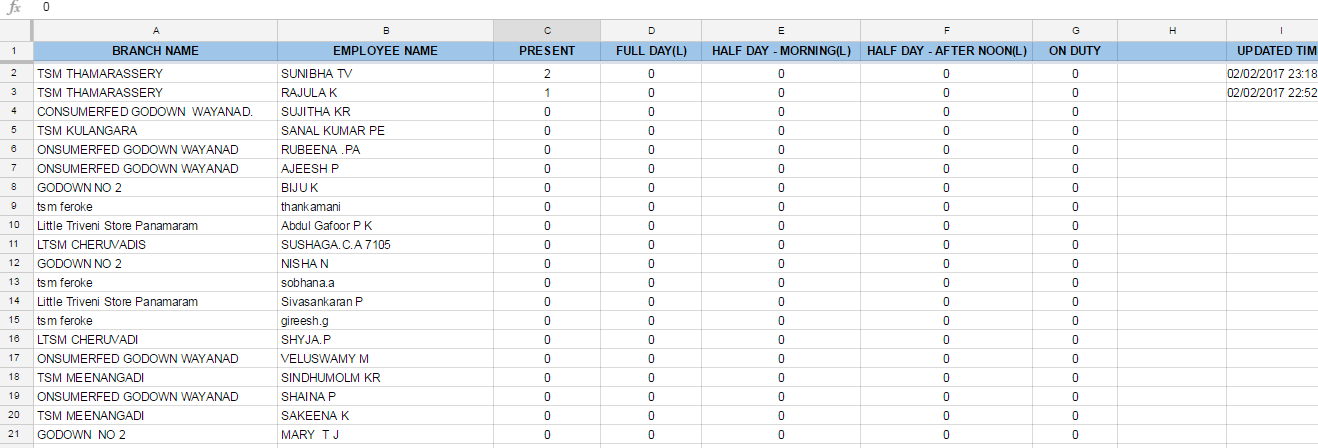
Attendance Reporting google sheet

link to sheet


Automatic consolidation spreadsheet

         
           Google consolidation sheet will consolidate the entered attendance details automatically

Consolidation sheet

Link to google spreadsheet


Sample consolidation excel sheet


Automatic deletion of duplicate entries

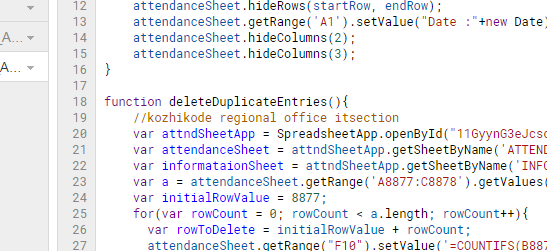
         There is a script running on the background of the sheet that will track the duplicate entries on the particular day and automatically delete the first entered value. A separate sheet 'INFORMATIONS' is kept , where all details regarding such automatic operation summaries is kept.


Google script sample

Graphical representation of Attendance Status


Pie chart showing attendance percentage in our region

Pie chart showing branch attendance status


Pie chart showing employees attendance status


Download file here


Message Me Here


E-mail templates

List of employees who fails to mark attendance on the day


E mail to IT head informing the employees who fails to mark the attendances on that day

Employee list who forget to mark attendances

Daily consolidation E mail


Sending attendance status daily consolidated email to IT Head

email template
E mail Template


Direct Email


E mail directly to office mail who mark attendance after noon

E mail templates
Automatic update details

Attendance consolidation for salary 


sample consolidation report
link to video


Email Report to users


Attendance form created by Regional Office Kozhikode IT Section. +Consumerfed IT Division


☺☺☺☺☺☺☺☺☺☺☺☺☺☺☺

CONSUMERFED KOZHIKODE WEBSITE

Issues and solutions


Download documentation

Kerala State Rule Leave Details

Thanks to +rasmi pramod , +Shimjith Kumar , +Vipin Cp for their valuable supports

Thanks to IT section Head office for Assigning this project

Today's Attendance Status


Google App Script Complete Tutorial

http://javabelazy.blogspot.in/

July 02, 2016

Number to word convertor in java

How to convert a numeric value into English words in java


Source code


import java.util.Scanner;

/**
 * Number to word convertor
 */

/**
 * @author consfedkozhikode@gmail.com
 *
 */
public class NumberToWord {
   
    private String[] ones = {"","one","two","three","four","five","six","seven","eight","nine","ten"};
    private String[] twenties = {"","one","two","three","four","five","six","seven","eight","nine","ten","eleven","twelve","thirteen","fourteen","fifteen","sixteen","seventeen","eighteen","nineteen","twenty"};
    private String[] tens = {"","ten","twenty","thirty","fourty","fifty","sixty","seventy","eighty","ninety"};
    private String[] hundreds = {"ones","tens","hundred","thousand","thousand","lakhs","lakhs","crore","crore"};
    private String word = "";
    private String tempWord = null;
    private int lastDigit = 0;
    /**
     * @param args
     */
    public static void main(String[] args) {
        NumberToWord numberToWord = new NumberToWord();
        int number = 0;
        Scanner input = new Scanner(System.in);
        System.out.println(" Enter the number : ");
        number = input.nextInt();
        int output = numberToWord.convertToWord(number,0);
    }

    private int convertToWord(int number,int count) {
                int quotient = number/10;
                int reminder = number % 10;
                getTheWord(reminder,count);
                if(quotient<=0){
                    word = tempWord + word;
                    System.out.println(" output : "+word);
                    return 0;
                }else
                {
                    return convertToWord(quotient,count+1);
                }
    }

    private void getTheWord(int reminder,int placeValue) {
        String newWord = null;
        switch (placeValue) {
       
        case 0:
            newWord = " "+ones[reminder];
            break;
        case 1:
            if(reminder==1){
                word = word; //skip
                int number = Integer.parseInt(String.valueOf(reminder+""+lastDigit));
                newWord = " "+twenties[number];
            }else{
                word = tempWord + word;
                newWord = " "+tens[reminder];
            }
            break;
        case 2:
            word = tempWord + word; // adding tens
            newWord = " "+ones[reminder]+" "+hundreds[placeValue]+" and";
            break;
        case 3:
            word = tempWord + word; //adding hundred
            newWord = " "+ones[reminder]+" "+hundreds[placeValue];
            break;
        case 4:
            if(reminder==1){
                word = word;
                int number = Integer.parseInt(String.valueOf(reminder+""+lastDigit));
                newWord = ""+twenties[number]+" "+hundreds[placeValue]+"";
            }else{
                word = tempWord + word;
                newWord = " "+tens[reminder]+"";
            }
            break;

        default:
            System.out.println(" This is default statement, it won't print ");
            break;
        }
        lastDigit = reminder;
        tempWord = newWord;
    }

}


Output

img for number to word covertor output
Number to english word in java

Description


Number to word converter java program converts numeric value into words,  currently the program will convert up to thousands. The same logic is applied for lakhs and crores so you can extend the project, only thing you have to do is to increase case statement in switch (repeating case 3 and case 4).
       In this program I pass the user inputted number to recursive function convertToWord(), A recursive function is a function that call itself. convertToWord() function will find the quotient and reminder of the number in each calls, the reminder is send getTheWord() function where a switch case will convert the number into corresponding words.

Most useful code

Java reference ( Buy a copy )

Similar posts


Finding HCF and LCM

Finding Factorial using recursion

Fibonacci series

Binary search in java

Palindrome in java

Geometric mean using java 

Prime number in java

Print triangle in java

Find missing number in java


author : +belazy


Ever tried to develop a tic toc toe game, you can try our code, multiplayer and with computer the whole source code will be available soon, stay update


http://javabelazy.blogspot.in/

April 13, 2015

Binary Search Algorithm implementation in java

Binary Search Algorithm in Java source code


Description

Find the position of specific input value within a sorted array (either descending/ascending).
The algorithm compares the key value with the middle value of array, if the key matches it will return the value or other wise returns -1 value.

Time complexity for binary
Worst : O (log n)
Average : O (log n)


Binary Search Algorithm Gif image
Binary Search Algorithm Computation

int []values = {1,2,5,6,12,25,26,27,30}; // sorted array


/**
 * Binary Search algorithm or Half interval search algorithm implementation
 * Find the position of a specific value (key) from/within a sorted array
 */

package com.blogspot.javabelazy.logics;

/**
 * @author javabelazy
 *
 */
public class BinarySearch {

private static int attempt = 0;

private int findIndex(int[] values, int target) {
return binarySearch(values,target,0,values.length-1);
}

private int binarySearch(int[] values, int target, int start, int end) {
attempt = attempt +1;
if(start > end){
return -1;
}

int middle = (int) Math.floor((start+end)/2);
int value = values[middle];

if (value > target) { return binarySearch(values, target, start, middle-1); }
if (value < target) { return binarySearch(values, target, middle+1, end); }

return middle;
}

/**
* @param binsearchalgo string
*/
public static void main(String[] binsearchalgo) {
int []values = {1,2,5,6,12,25,26,27,30}; // sorted array
int target = 27; // value to be find (the key in binary search algorithm)
BinarySearch binarySearch = new BinarySearch();
int position = binarySearch.findIndex(values,target);
System.out.println(" Size of the array to search : "+values.length);
System.out.println(" Value to be found : "+target);
System.out.println(" Position of the value found : "+position);
System.out.println(" Attempt made in finding value : "+attempt);
System.out.println(" www.javabelazy.blogspot.in ");

}
}

Output


BINARY SEARCH ALGORITHM IMPLEMENTATION IN JAVA
binary search algorithm implementation in java


Author : +belazy


Java source code for binary search algorithm


http://javabelazy.blogspot.in/

January 06, 2015

How to create a Magic square in java

Java code to print Odd Magic Square Matrix

The code is working fine for only 3 x 3 matrix.


/**
 * @author micromax
 *
 */
public class MagicSquare {
   
    private int [][]magicSquare = null;
   
    private void computerMagicSquare(int matrixOrder) {
        // TODO Auto-generated method stub
        int initialValue = (matrixOrder/2);
        int row = initialValue;
        int col = initialValue;
        int loopCount = matrixOrder * matrixOrder;
        int maxMatrixSize = matrixOrder-1;
        magicSquare = new int[matrixOrder][matrixOrder];
       
       
        for(int value=1; value <=loopCount; value++){ // loop value from 1 to square(order)
            //System.out.println(" value :"+value +" Row :"+row+" Col :"+col);
            magicSquare[row][col] = value;
            row = row + 1;
            col = col - 1;
            if(col<0){ col=maxMatrixSize;}
            if(row>maxMatrixSize){ row=0;}
            if(magicSquare[row][col]>0){
                row=row-1;
                col=col+2;
                if(col>maxMatrixSize)
                    col=0;
                if(row<0)
                    row=maxMatrixSize;
            }
        }
}
    /**
     * @param args
     */
    public static void main(String[] args) {
        // TODO Auto-generated method stub
        MagicSquare magicSquare = new MagicSquare();
        //System.out.println(" Enter the order of matrix ");
       
        //Scanner scanner = new Scanner(System.in);
        //int matrixOrder = scanner.nextInt();
        int matrixOrder = 3;
        magicSquare.computerMagicSquare(matrixOrder);
        magicSquare.dispalyMagicSquare(matrixOrder);

    }

    private void dispalyMagicSquare(int matrixOrder) {
        // TODO Auto-generated method stub
        System.out.println("Displaying Magic Matrix ");
        for(int row=0; row<matrixOrder; row++){
            for(int col=0; col<matrixOrder; col++){
                System.out.print(magicSquare[row][col]+"\t");
            }
            System.out.println("\n");
        }
       
    }


}


 Output:


Author +belazy


 http://javabelazy.blogspot.in/

December 30, 2014

Java program to check a string is palindrome

How to check whether a string is palindrome

Palindorme in java source code : Palindrome are strings, that remains unchanged even when reversed for example "mom","malayalam",etc


import java.util.Scanner;

/**
 * Worldcup cricket 2015
 */

/**
 * @author Moto
 *
 */
public class Palindrome {

    /**
     * @param args
     */
    public static void main(String[] virat) {
        // TODO Auto-generated method stub
        Palindrome palindromeNumber = new Palindrome();
        palindromeNumber.checkPalindrome();

    }

    private void checkPaliandrome() {
        // TODO Auto-generated method stub
        String str = null;
        System.out.println(" Please enter the string that you want to check is that a paliandrome");
        Scanner scanner = new Scanner(System.in);
        str = scanner.next();
        //str= "worldcupcricketekcircpucdlrow";  //test value
        //System.out.println(str);
        int len = str.length();
        System.out.println(len);
        int first =0;
        int last =len-1;
        int flag = 0;
        int loopLen = len/2;
        //System.out.println(str.charAt(first));
        //System.out.println(str.charAt(last));
      
        for(int count=0;count<loopLen;count++){
          
            if(str.charAt(first)!=str.charAt(last)){
                flag =1;
                break;
            }
              
          
            //System.out.println(str.charAt(first)+"--"+str.charAt(last));
            first=first+1;
            last=last-1;
        }
      
        String output = flag ==0? " paliandrome" : "not a paliandrome";
        System.out.println(str+ " is "+output);
    }

}


 if you want to know how to use ternary operator please visit this link
http://javabelazy.blogspot.in/

November 26, 2014

How to find Geometric Mean of a number in java

Finding Geometric mean of a number source code


/**
 *
 */
package javabelazy;

import java.util.Scanner;

/**
 * @author caner erkin
 *
 */
public class GeometricMean {
   
   
    /**
     * @param args
     */
    public static void main(String[] args) {
        // TODO Auto-generated method stub
        GeometricMean gm = new GeometricMean();
        gm.findGM();

    }

    private void findGM() {
        // TODO Auto-generated method stub
        int totNumb = 0;
      
        Scanner keyboard = new Scanner(System.in);
        System.out.println("Enter number of values:");
        totNumb = keyboard.nextInt();
        double mulNumb = 1;
        for (int i=0;i<totNumb;i++){
            int numb = 0;
            int itr = i+1;
            System.out.println(" enter the "+itr+"number : ");
            numb = keyboard.nextInt();
            mulNumb = mulNumb * numb;
        }
      
        System.out.println(" geometric mean "+ Math.sqrt(mulNumb));
    }


}

This post is a solution for the question post in stack over flow

see the post

G20 submit 2015 will be held at Turkey city :antalya

http://javabelazy.blogspot.in/

September 12, 2014

Traffic Light demo in visual basic

Demo for Traffic Light application in visual basic


Dim db As Database
Dim rs As Recordset

Private Sub Command1_Click()
Timer1.Enabled = True
Timer5.Enabled = False
Timer3.Enabled = False
Timer2.Enabled = False
Timer4.Enabled = False
End Sub

Private Sub Command2_Click()
End
End Sub

Private Sub Form_Load()
Set db = opendatabase("K:\WorldTradeCenter\Newyork\iphone\Moto.mdb")
Set rs = db.openrecordset("select * from traffic")
End Sub

Private Sub Timer1_Timer()
Shape1.FillStyle = 0
Shape6.FillStyle = 0
Shape2.FillStyle = 1
Shape3.FillStyle = 1
Shape4.FillStyle = 1
Shape5.FillStyle = 1
Timer2.Enabled = True
Timer1.Enabled = False
Timer3.Enabled = False
Timer4.Enabled = False
Timer5.Enabled = True
End Sub

Private Sub Timer2_Timer()
Shape1.FillStyle = 1
Shape6.FillStyle = 1
Shape2.FillStyle = 0
Shape3.FillStyle = 1
Shape4.FillStyle = 1
Shape5.FillStyle = 0
Timer3.Enabled = True
Timer1.Enabled = False
Timer2.Enabled = False
Timer4.Enabled = False
Timer5.Enabled = True
End Sub

Private Sub Timer3_Timer()
Shape1.FillStyle = 1
Shape6.FillStyle = 1
Shape2.FillStyle = 1
Shape3.FillStyle = 0
Shape4.FillStyle = 0
Shape5.FillStyle = 1
Timer3.Enabled = False
Timer1.Enabled = False
Timer2.Enabled = False
Timer4.Enabled = True
Timer5.Enabled = True
End Sub

Private Sub Timer4_Timer()
Shape1.FillStyle = 1
Shape6.FillStyle = 1
Shape2.FillStyle = 0
Shape3.FillStyle = 1
Shape4.FillStyle = 1
Shape5.FillStyle = 0
Timer3.Enabled = False
Timer1.Enabled = True
Timer2.Enabled = False
Timer4.Enabled = False
Timer5.Enabled = True
End Sub

Private Sub Timer5_Timer()
If rs.EOF = False Then
Label2(0).Caption = rs(0)
Label2(1).Caption = rs(0)
rs.MoveNext
Else
rs.MoveFirst
End If
End Sub


To download the microsoft access database file click here
filename : Javabelazy32510
password : iphone6


Happy Onam to all visitors

http://javabelazy.blogspot.in/

Facebook comments